


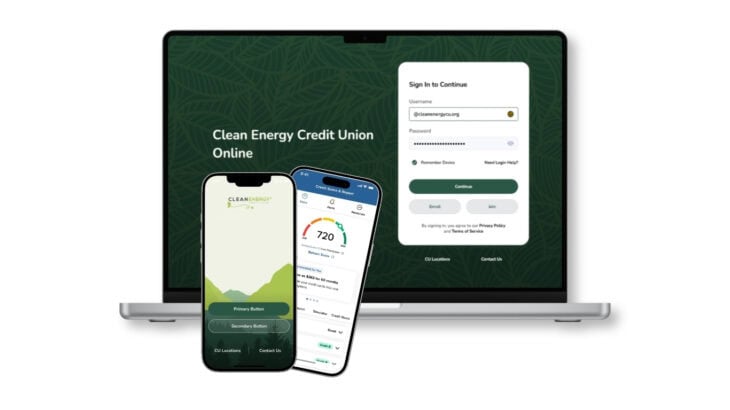
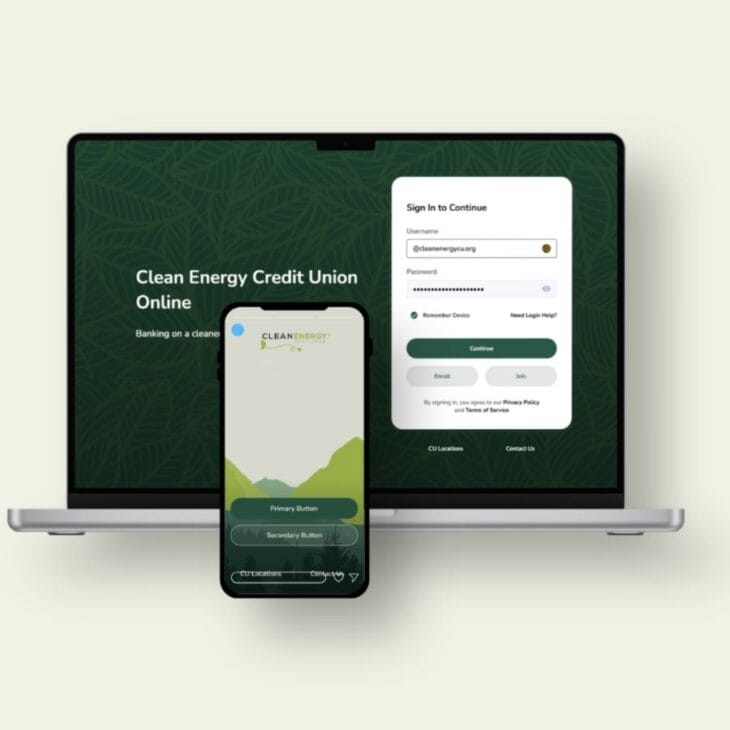
New Online and Mobile Banking – Coming September 22nd
What’s Changing? (And Why You’ll Love It)
We aren’t just giving our apps a fresh coat of paint. We are completely transforming how you interact with your money to make green banking effortless, transparent, and secure. This enhancement will provide you with an all-new, modern way to manage your money with improved features, enhanced security, and a seamless banking experience.
A Seamless, Modern Experience Across All Devices
Whether you are checking your balance on your smartphone or transferring funds from your desktop, you will experience a unified, intuitive, and lightning-fast interface.
- Modern, intuitive dashboard that is customizable.
- Easily view and manage all your subscriptions in one place.
- Access transaction history and balances for linked external accounts.
- Quick access to Coinstar Kiosk locator and Shared Branching locations.
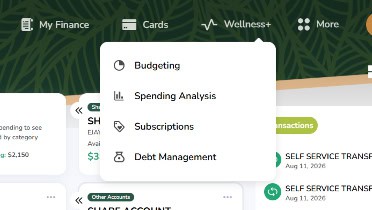
Wellness Budgeting Tools
Take full control of your money without switching apps. Members will gain instant access to intuitive budgeting tools, real-time spending analysis, and seamless debit card management. Whether you are tracking daily expenses or mapping out longterm savings goals, managing your financial wellbeing has never been easier.
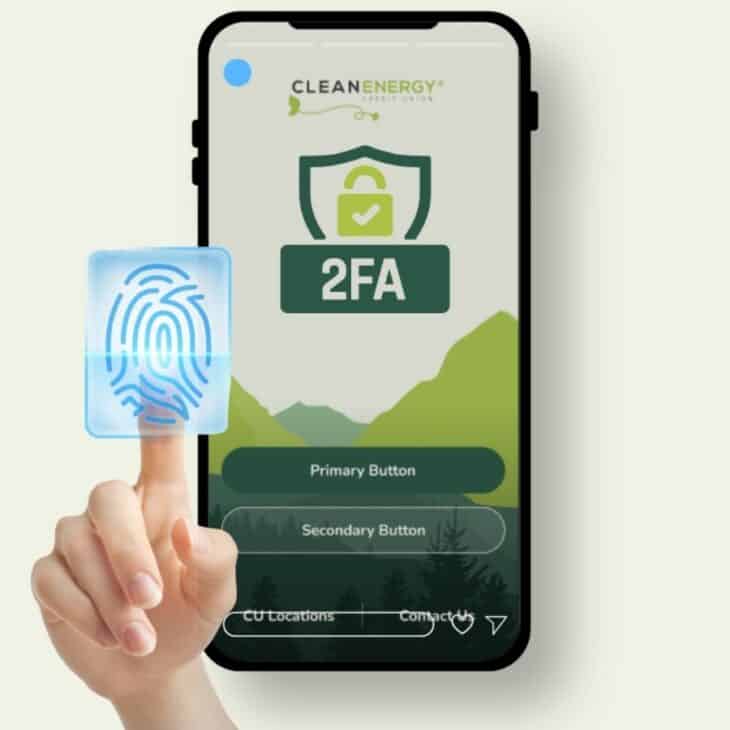
Enhanced Security & Peace of Mind
Your financial security is our top priority. The new platform introduces advanced multi-factor authentication (MFA) and biometric login capabilities (like FaceID and fingerprint scanning) to keep your accounts and data heavily protected.
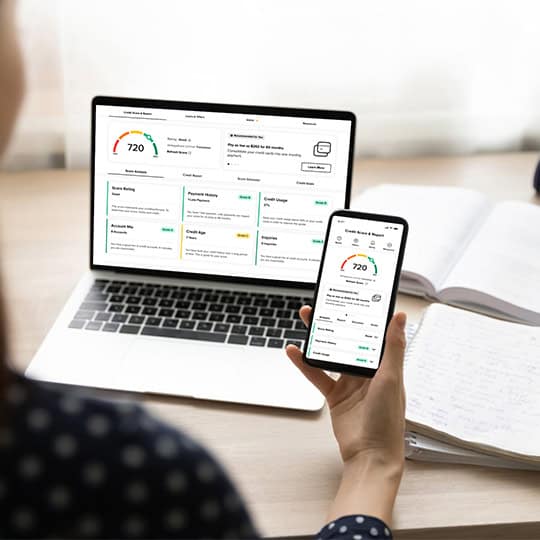
Free Credit Score Monitoring
Gain instant access to real-time credit score tracking, personalized tips, and actionable financial insights designed to help you reach your goals.
What’s Staying the Same
✓ Member Number
All account numbers remain unchanged.
✓ Debit & Credit Cards
Your cards will continue to work normally.
✓ Direct Deposits
Payroll, pension, and Social Security deposits are unaffected.
✓ Bill Pay
No action is needed on your part—your Bill Pay remains active, and your payments will process right on schedule.
What Will Need to be Re-Established
Because security is our top priority, certain automated settings will not transfer over automatically. Beginning September 22nd, you will need to re-enroll and re-establish Automatic Transactions (internal/external) and Alerts. Prepare by collecting the following:
Automatic Transfers
Re-schedule any recurring internal or external fund transfers. PREPARE BY: Documenting your current recurring transfer dates, amounts and source/destination accounts.
Account Alerts
Re-configure your custom push, text, or email notifications. PREPARE BY: Recording your current alert names and dates.
BillPay will be Temporarily Unavailable 9/17 – 9/22
During this maintenance window, you will be unable to schedule, modify, cancel, or manage any payments or payees, so please complete any necessary transactions before September 17. Payments already scheduled to process before the transition will go out as expected, and all of your existing payees, payment history, and account details will automatically transfer to the new system on September 22 without requiring any re-entry on your part.
Your Digital Banking Checklist
Here is how to prepare for a seamless transition.
✓ Verify Contact Information
Ensure your email address and mobile phone number are up to date in your current online banking profile.
✓ Save Transfer Details
Record recurring transfer schedules. Payments scheduled to process prior to September 21 will complete as usual. Starting September 22, you will re-establish payees and recurring schedules in the new platform.
✓ Note Account Alerts
Custom alerts will need to be recreated in the new dashboard.
Roadmap to Launch: What You Need to Know
We want to make this transition as smooth as possible for you. Here is what to expect as we approach our early fall launch:
Keep Your Info Updated.
Log in to your current online banking portal and ensure your email address, phone number, and physical address are completely up to date.
Record Your Current Scheduled Payments & Transfers
Log into your current account to make a quick list or save records of your current external transfers, and alerts so you can easily re-enter them on the new platform.
Seamless Migration.
While your account balances, loan structures, and primary histories will migrate automatically, we always recommend downloading your recent eStatements for your personal records before a system upgrade.
How to Re-Enroll into Online and Mobile Banking
You will need to re-enroll in digital banking to continue accessing your accounts online and through our mobile app.
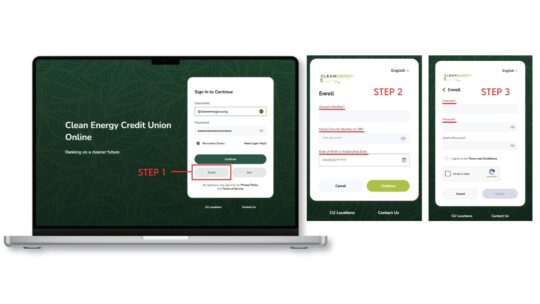
Gather This Information
- Your Clean Energy Credit Union member number.
- Your Social security number or Tax Identification number.
- Date of Birth.
Enroll Online or Through the Mobile App
You’ll need to delete your old mobile app first and then download the New Mobile App. Click on ENROLL to begin.
- iOS users: Search Clean Energy Credit Union in the App Store
- Android users: Search Clean Energy Credit Union in Google Play
- You can also enroll online.
Create Your New Credentials
Choose a new username and password: You can reuse your current username and password if they meet these requirements, though we strongly recommend updating them for better security.
- Username: Minimum 6 characters with at least 1 number and 1 letter (no special characters)
- Password: Minimum 12 characters with 1 uppercase letter, 1 lowercase letter, 1 number, and 1 special character
Got Questions? We’ve Got Answers.
You’ll need to delete your old mobile app first and then download the New Mobile App.
iOS users: Search Clean Energy Credit Union in the App Store.
Android users: Search Clean Energy Credit Union in Google Play.
You’ll need to delete your old mobile app first and then download the New Mobile App. Click on ENROLL to begin.
- iOS users: Search Clean Energy Credit Union in the App Store
- Android users: Search Clean Energy Credit Union in Google Play
- You can also enroll online.
Before you click on “ENROLL” make sure you have the following information ready:
-
Your Clean Energy Credit Union member number
-
Your Social Security Number (SSN) or Tax Identification Number (TIN)
-
Your Date of Birth
NOTE: You can reuse your current username and password if they meet these requirements, though we strongly recommend updating them for better security.
- Username: Minimum 6 characters with at least 1 number and 1 letter (no special characters)
- Password: Minimum 12 characters with 1 uppercase letter, 1 lowercase letter, 1 number, and 1 special character
No! Once you enroll in the new online banking, you’re automatically enrolled in mobile banking as well. The same login credentials work for both platforms.
Yes! The password reset process is now simpler. Just click “Forgot Password” or “Need Login Help” on either the online or mobile banking login screen.
Please contact us immediately! You can send a secure message through online banking, email us or call 720-479-7900.
Please check your browser’s pop-up settings. Several functions, including accessing eStatements, utilize pop-ups. Make sure pop-ups are enabled for our website.
We design our digital upgrades to align with our commitment to environmental sustainability. Our core online banking platform does not utilize AI processing, allowing us to minimize our digital energy footprint while providing a smooth, secure banking experience for our members.
While AI has become widespread throughout the tech industry, we deliberately avoid integrating AI into our primary systems to conserve energy. Because third-party software providers across the industry increasingly build AI features into their software, some external partner tools may include AI capability beyond our direct control. However, we remain dedicated to selecting and managing our systems to maintain the lowest digital energy footprint possible.
Your Accounts & Cards
No! All member numbers will remain the same.
No! All debit and credit cards will continue to work as expected. You don’t need to do anything with your cards.
Your direct deposits for payroll, pension, and Social Security will continue uninterrupted. No changes are needed.
No, you’ll need to recreate your account alerts in the new system. You can set up alerts from your account dashboard or through the More/Plus menus. Alerts can be sent via email or text message.
Transfers, Mobile Deposits & Payments
A: It depends on how your recurring payment was originally set up:
- Requires Re-establishment: If your recurring payment was set up within online banking—including external transfers from another financial institution or automated transfers from your internal savings or checking account to your loan—you will need to re-establish it in the new digital banking platform.
- No Action Needed: If your recurring loan payment was set up by Clean Energy CU during your loan closing, via direct payroll deduction or an external ACH payment originated directly by another financial institution, your payment will continue processing automatically without any action required.
Q: What steps should I take to ensure my payment is made on time?
A: Log into the new digital banking platform, navigate to the transfers/payments section, and verify your recurring schedule. If your existing setup was managed directly within online banking, simply re-enter your payment details and set your preferred recurring schedule.
Recurring and future-dated transfers will need to be re-established in the new system. Payments scheduled in the current system before September 21st will continue to process. After September 22nd, please set up your recurring transactions again in the new platform.
All of your existing Bill Pay payees, payment history, and account details will automatically transfer to the new system on September 22 without requiring any re-entry on your part. NOTE: Bill Pay will be temporarily unavailable starting Thursday, September 17 through Tuesday, September 22. During this maintenance window, you will be unable to schedule, modify, cancel, or manage any payments or payees, so please complete any necessary transactions before September 17.
Transfers set up through another FI’s do not need to be re-established as your CECU member/account numbers will remain the same.
Yes, all of your existing payees, payment history, and account details will automatically transfer to the new system on September 22 without requiring any re-entry on your part.
NOTE: To prepare for our platform upgrade, BillPay will be temporarily unavailable starting Thursday, September 17 through Tuesday, September 22. During this maintenance window, you will be unable to schedule, modify, cancel, or manage any payments or payees, so please complete any necessary transactions before September 17.
Mobile check deposit remains free and easy to use! You’ll notice an improved experience with better controls and easier check capturing.
Statements & History
Yes! Your transaction history will be available in the new online banking system.
You can access and download your monthly statements through online banking and the mobile app. When you first register, you’ll have the option to enroll in eStatements and eNotices.
How do digital upgrades align with the credit union’s environmental mission?
We design our digital upgrades to align with our commitment to environmental sustainability. Our core online banking platform does not utilize AI processing, allowing us to minimize our digital energy footprint while providing a smooth, secure banking experience for our members.
While AI has become widespread throughout the tech industry, we deliberately avoid integrating AI into our primary systems to conserve energy. Because third-party software providers across the industry increasingly build AI features into their software, some external partner tools may include AI capability beyond our direct control. However, we remain dedicated to selecting and managing our systems to maintain the lowest digital energy footprint possible.